You can already order from Samarkand Bakery in two ways: on our website, or by sending us a message on WhatsApp. Since October 2026 there is a third way. You can talk to Claude, the AI assistant made by Anthropic, the same way you would message a friend, and it will show you our menu, check which day you can collect, work out the exact total and place your pre-order once you say yes.
This article explains what that means in practice, how to set it up in about two minutes, and what Claude can and cannot do with your order. If you just want the steps, they are on our Order with Claude page.
Why we built it
Most of our orders start with a question. Is there plov this Sunday? Does the pumpkin samsa contain dairy? Can I collect at six? Is 150 dirhams enough for a family of five? We love answering these, but on a busy Saturday a reply can take a while, and the website only answers the questions it was built for.
Claude can answer them straight away, at any hour, in English, French or Arabic, and it answers from our live menu rather than from guesswork. When you change your mind halfway through ("actually, make it eight samsa"), it simply recalculates. It feels like ordering by message, without the wait.
What "connecting" Samarkand to Claude means
Claude on its own does not know our menu, our prices or which days we are open. We built a small, secure link between Claude and our bakery's system, called a connector. Once you add it to your Claude account, Claude can look things up in our system while you chat: the menu, the photos, the allergens, the open days and your own orders if you sign in.
Nothing is copied into Claude in advance. Every price, date and rule comes from our system at the moment you ask, so if we close a day or change a price in the morning, Claude knows about it in the afternoon.
What you can ask
You don't need special words. These all work:
- "What's on the Samarkand Bakery menu this weekend?"
- "Which pastries have no sesame?"
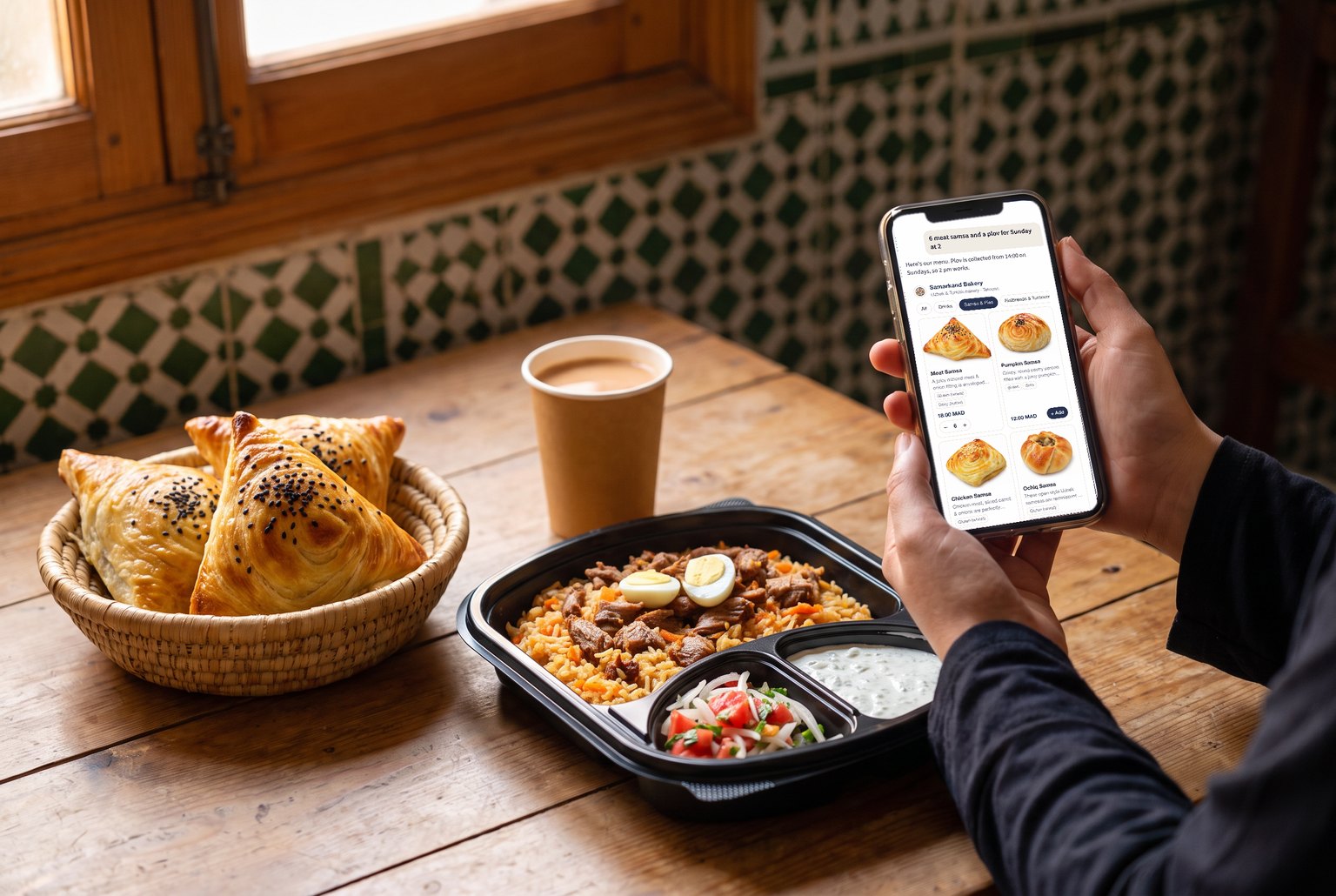
- "6 meat samsa and a plov for Sunday at 2."
- "Food for 8 people on Saturday, two of them vegetarian, around 300 dirhams."
- "What's the difference between gözleme and cheburek?"
- "Order what I had last time, for Saturday." (needs sign-in)
Claude shows the menu as cards with our own photos, prices and allergens. You can tap + on the cards to build a basket, press Get total to see the exact price, and press Order this to carry on in the chat.
A real example, step by step
Say you write: "Can I get 6 meat samsa and a plov for Sunday at 11?"
- Claude checks the day. Sunday works for samsa, but our Uzbek plov is collected from 14:00 on Sundays, so Claude tells you that and suggests 14:00 or later instead of letting you book a time we can't do.
- Claude prices the basket. Six meat samsa at 18 dirhams and one Uzbek plov meal deal at 55 dirhams. If an automatic discount applies, it is included. If you are close to it, Claude tells you how much more you would need.
- Claude asks for the details. Your name, your phone number for WhatsApp, and whether you will pay in cash at collection or online.
- You say yes. Only then does Claude place the order. You see an order card with the number, the collection time and the total.
- We confirm. The bakery gets the order at once and confirms with you on WhatsApp, just like an order from the website.
On weekdays the plov rules are different: at least four portions and two days' notice. Claude knows that too, and explains it if you ask for plov on a Wednesday.
Paying
Payment never happens inside the chat. You can pay in cash when you collect, as most of our customers do. If you prefer to pay online, Claude gives you a Pay online button. It opens our own payment page on samarkandbakery.com for exactly that order, so there is nothing to choose again. Our terms apply as usual: you can cancel up to 7 hours before collection, and online payments are refunded in full within that window.
Allergies and dietary questions
Claude answers allergy questions from the allergen information we keep for every product, including the "may contain" traces. That makes it much more reliable than guessing from a photo. If an allergy is severe, please still mention it in the order note or message us, so we can take extra care in the kitchen.
Signing in is optional
You can browse, ask and order without signing in. Signing in lets Claude see your own account: your past orders, your loyalty points (5% back on every order) and, if you have one, your Lunch Club plan, where you can skip a delivery, pause or resume. To sign in, Claude opens a page on our site. Choose I'm a customer, enter the email you order with and type the 6-digit code we send you.
Safety and privacy
- You stay in control. Claude asks your permission before it uses our tools, and every order needs your clear yes in the chat.
- Only your own data. When you sign in, Claude can see your orders and points, never anyone else's.
- Same prices, same rules. There is no surcharge for ordering through Claude, and every rule from the website applies.
Our privacy policy explains what we collect and why, including for orders placed through an AI assistant.
How to set it up
It takes about two minutes on a computer or in your phone's browser. Open claude.ai, go to Customize and Connectors, choose Add custom connector, name it Samarkand Bakery and paste https://samarkandbakery.com/mcp. The full steps, with a copy button, are on our Order with Claude page. A free Claude account is enough.
What about ChatGPT?
The same connector works in ChatGPT, and our listing in ChatGPT's directory is on its way. As soon as it is approved, you will be able to add us there with one click. We will announce it on our Instagram and on the Order with Claude page.
Frequently asked questions
Do I need to pay for Claude?
No. A free Claude account can add one custom connector, which is all you need.
Can I order in French or Arabic?
Yes. Write in the language you prefer and Claude answers in it, with our menu names and descriptions in that language.
Is my order confirmed straight away?
Your order reaches us at once, and we confirm it on WhatsApp, the same as an order from the website. Collection is on the day and at the time you chose.
What if Claude gets something wrong?
Claude can only place orders our system accepts, so it cannot book a closed day or a time we don't do. If anything looks odd, message us on WhatsApp and we will sort it out.
Ready to try it? Add us in two minutes on the Order with Claude page, then ask Claude what's on the menu this weekend.